Tor and Online Anonymity

**Tor** (The Onion Router) is free, open-source software that enables anonymous communication. Its primary purpose is to protect your privacy and freedom by preventing others from tracking your internet activity, including your browsing history, location, and online identity. It does this by routing your traffic through a worldwide, volunteer-run network of relays.
How Tor Works
When you use Tor, your internet traffic takes a winding, three-hop journey before it reaches its destination.
- Entry Node: Your encrypted data first enters the Tor network through a randomly selected entry node. This node knows your IP address but doesn't know the final destination of your traffic.
- Middle Node: The data is then passed to a middle node. This node knows nothing about you or the final destination. It only knows the entry and exit nodes.
- Exit Node: Finally, the data leaves the Tor network through an exit node and is sent to its final destination (e.g., a website). The exit node knows the destination but not your real IP address.
Because each node in the chain only knows the previous and next nodes, no single point can see both your identity and your destination.
Downloading and Installing Tor Browser on Kali Linux
The easiest way to use Tor is with the **Tor Browser**, a modified version of Firefox. Here is the recommended procedure for installing it on Kali Linux.
-
Update Your System: Ensure your system is up-to-date to avoid any dependency conflicts.
sudo apt update && sudo apt upgrade -y -
Install Tor Browser Launcher: Kali Linux includes a package that simplifies the installation process.
sudo apt install torbrowser-launcher -y -
Launch and Install: After the installation, you can launch the Tor Browser for the first time. The launcher will automatically download and verify the latest version of the Tor Browser for you.
torbrowser-launcherA window will pop up. Click **"Install"** and wait for the download to complete.
- Connect to the Tor Network: Once the installation is complete, the Tor Browser will open. A connection wizard will appear. For most users, clicking **"Connect"** is all you need to do to start.
- Browse Anonymously: Once connected, all of your traffic through the Tor Browser will be routed through the Tor network, providing you with anonymity.
Important Considerations
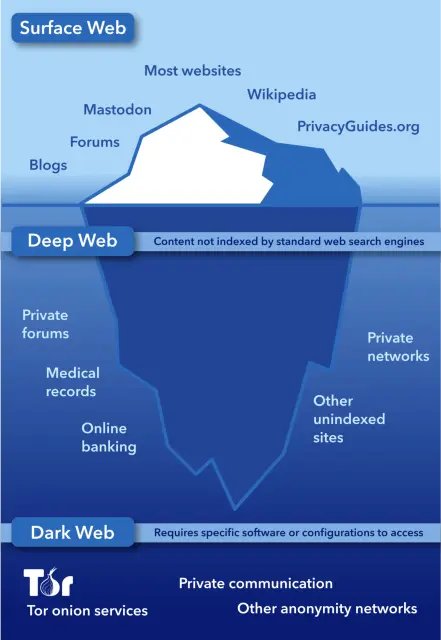
While Tor is a powerful tool for anonymity, it's not foolproof.
- Speed: Because your data is routed through multiple nodes, browsing with Tor is significantly slower than a direct connection.
- Exit Node Risks: The exit node can see your traffic in unencrypted form if the website you're visiting doesn't use HTTPS. Always use HTTPS to ensure your connection is secure.
- Legality: Using Tor is legal in most countries. However, using it for illegal activities remains illegal.
Comments